Family shopping list for iPhone · Free
One list for the whole family
Everyone writes on the same shopping list and sees right away what’s missing. Every item shows who it’s for – Grandma too, without an app of her own.

iPhone only. Android is coming.


Everything – or just Grandma’s.
How family shopping works
Whoever adds or ticks off an item changes the list on every phone right away. Nobody buys the milk twice.
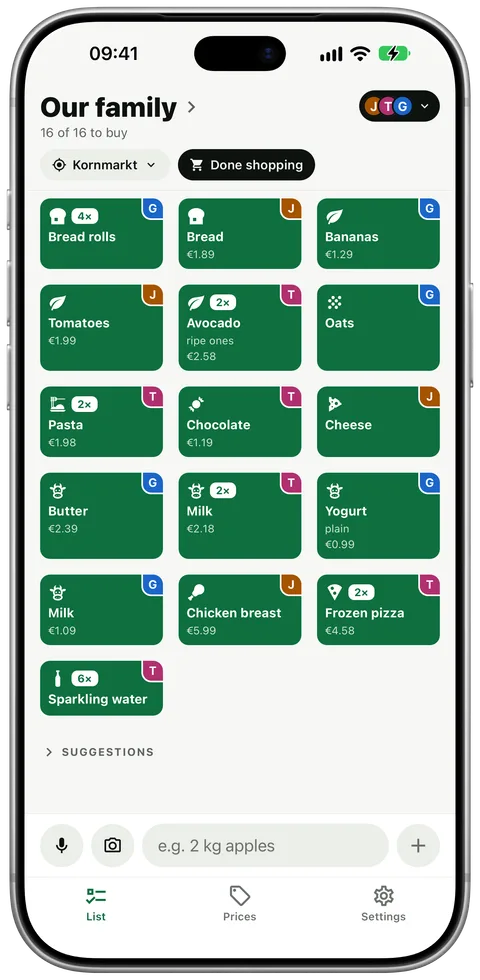
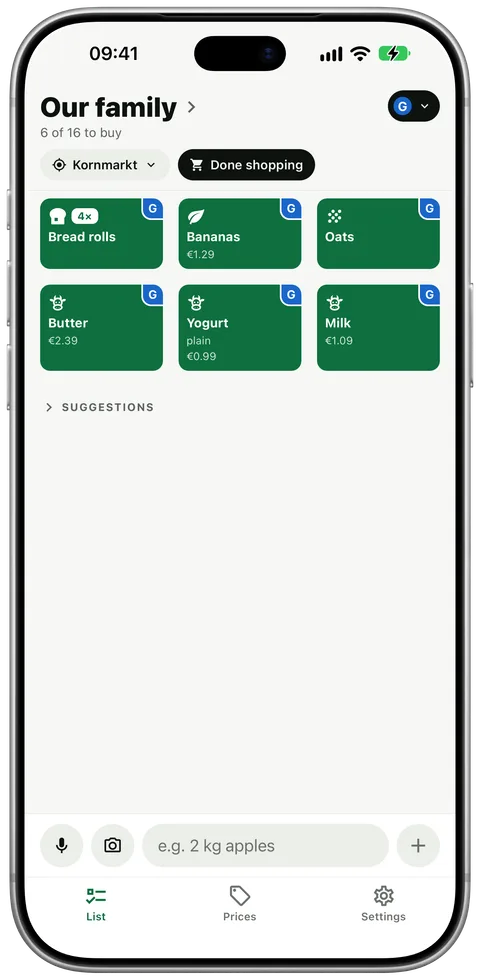
Everyone has a colour, and every item shows who it’s for. In the shop, show just one person’s things.
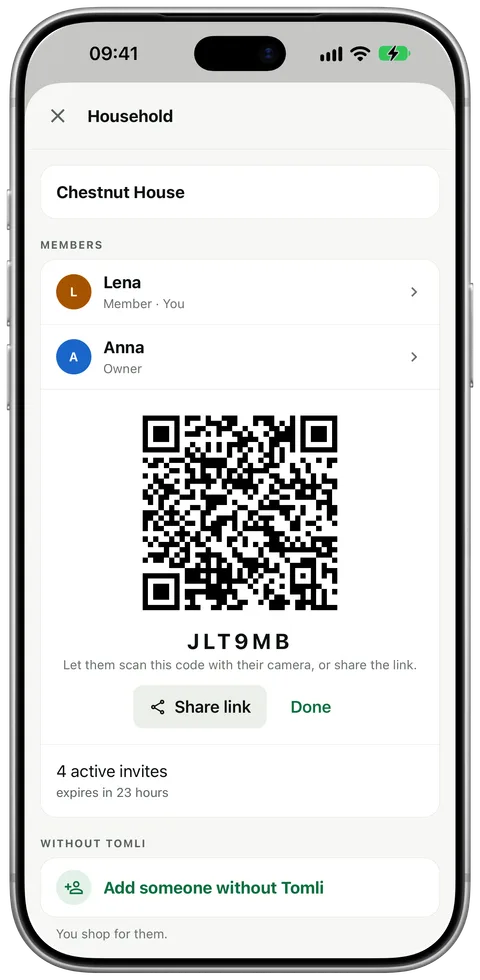
Share a code, install Tomli, done. No email, no password.
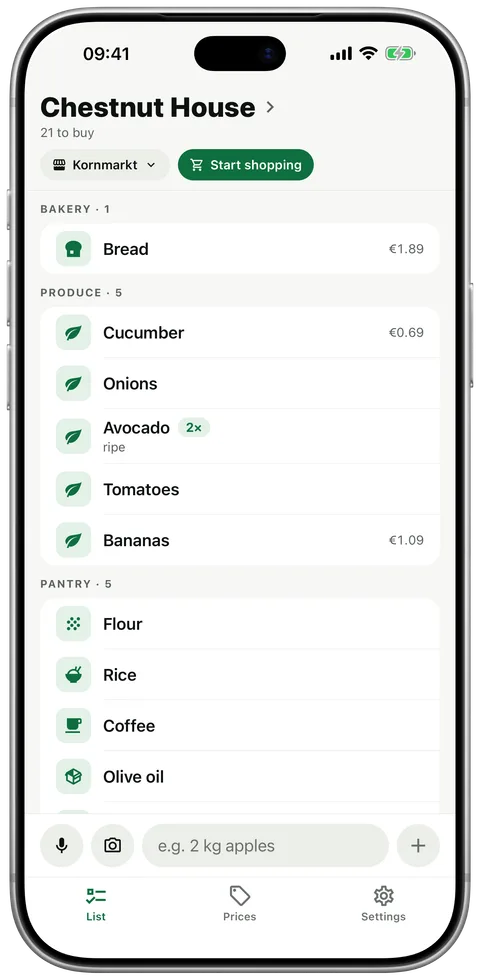
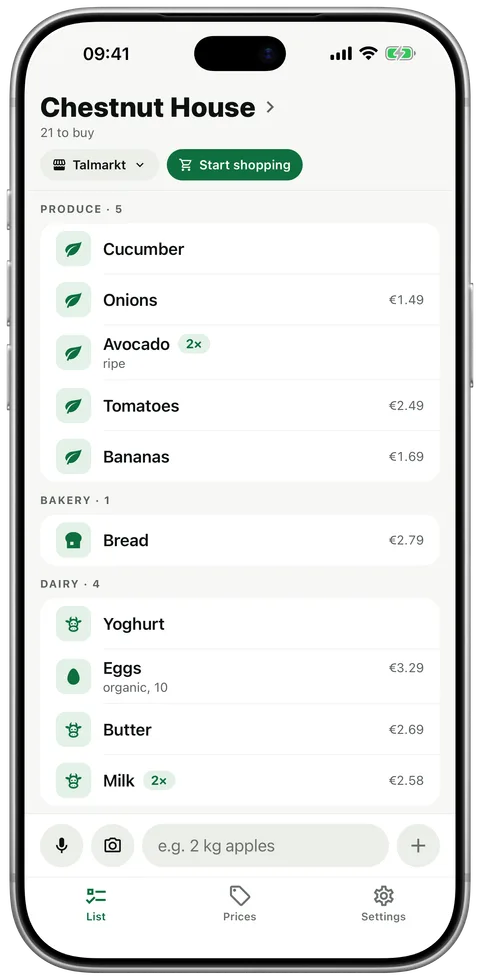
Tomli learns the aisle order from your trips, separately for every store. Whoever shops walks through once.
-
Anna ticks off the milk
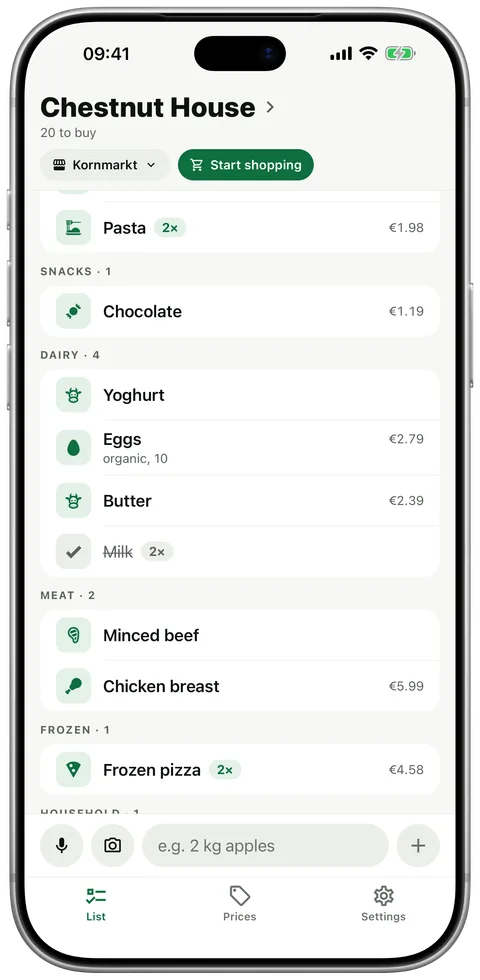
Ben sees it gone
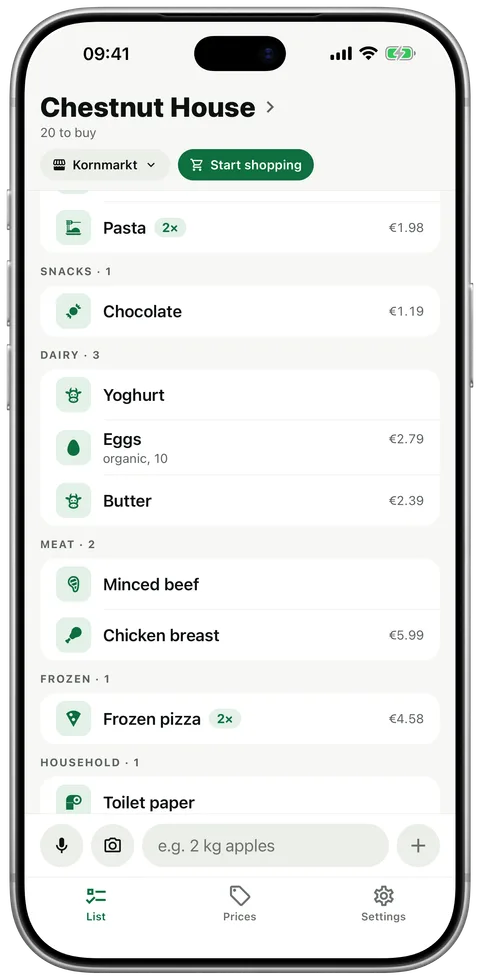
-
Everyone see who it’s for
Just Grandma her things apart
-
-
Kornmarkt
- Bakery
- Produce
- Pantry
Talmarkt
- Produce
- Bakery
- Dairy


For families, couples and flatmates
Families
The kids add what they want themselves. You shop for Grandma too, and she needs no app: add her as a person and put her things on the list.
Couples
One writes, the other shops. What you tick off disappears on your partner’s phone right away – even if you’re in two shops at once.
Flatmates
Washing-up liquid and loo roll for everyone sit next to what each of you needs. Pick yourself in the filter and see only what’s for you.
Questions
How do I share a shopping list with my family on iPhone?
Install Tomli, create a household and send your family an invite link or read out the 6-character code. From then on everyone sees the same list, live.
Does everyone in the family need an account?
No. Whoever is invited installs Tomli and joins with the code. “Sign in with Apple” is optional.
Can I shop for someone who has no app?
Yes. Add the person to your household, Grandma for example, and put her things on the list for her. Her items get their own colour, and in the shop you can show just hers. More on the shopping list for multiple users.
What does Tomli cost for a family?
Free and without ads for up to 3 people with Tomli and 1 person without the app. Larger families can get Tomli Plus (€9.99/year for the whole household): up to 6 people with Tomli and 6 without.
How is it different from Apple Reminders?
Reminders is already on your iPhone. Tomli is built for shopping: it sorts the list for your supermarket, shows who each item is for, and needs no account.
Does it work if someone has Android?
Not yet. Tomli is iPhone only for now; an Android version is coming.
One list for everyone. Bring on the next shop.
Download for free, invite your family, go.
iPhone only. Android is coming.